3D Exterior Rendering Services & Architectural Walkthroughs: A Complete Guide
Architecture begins with an idea, but communicating that idea clearly can be challenging when a building exists only on paper. Floor plans, elevations, and technical drawings are essential for design and construction, yet clients, investors, and property buyers may find it difficult to imagine the finished space.
This is where 3D exterior rendering services and 3D architectural walkthrough services make a difference. They transform architectural concepts into detailed visual experiences, helping people understand a proposed building's appearance, surroundings, materials, and spatial character before construction begins.
At The Archlane, architectural visualization is about turning design concepts into visual stories that people can see, understand, and experience. Whether you are an architect developing a design presentation or a real estate developer preparing project marketing materials, the right visualization approach can help communicate your vision more effectively.
What Are 3D Exterior Rendering Services?
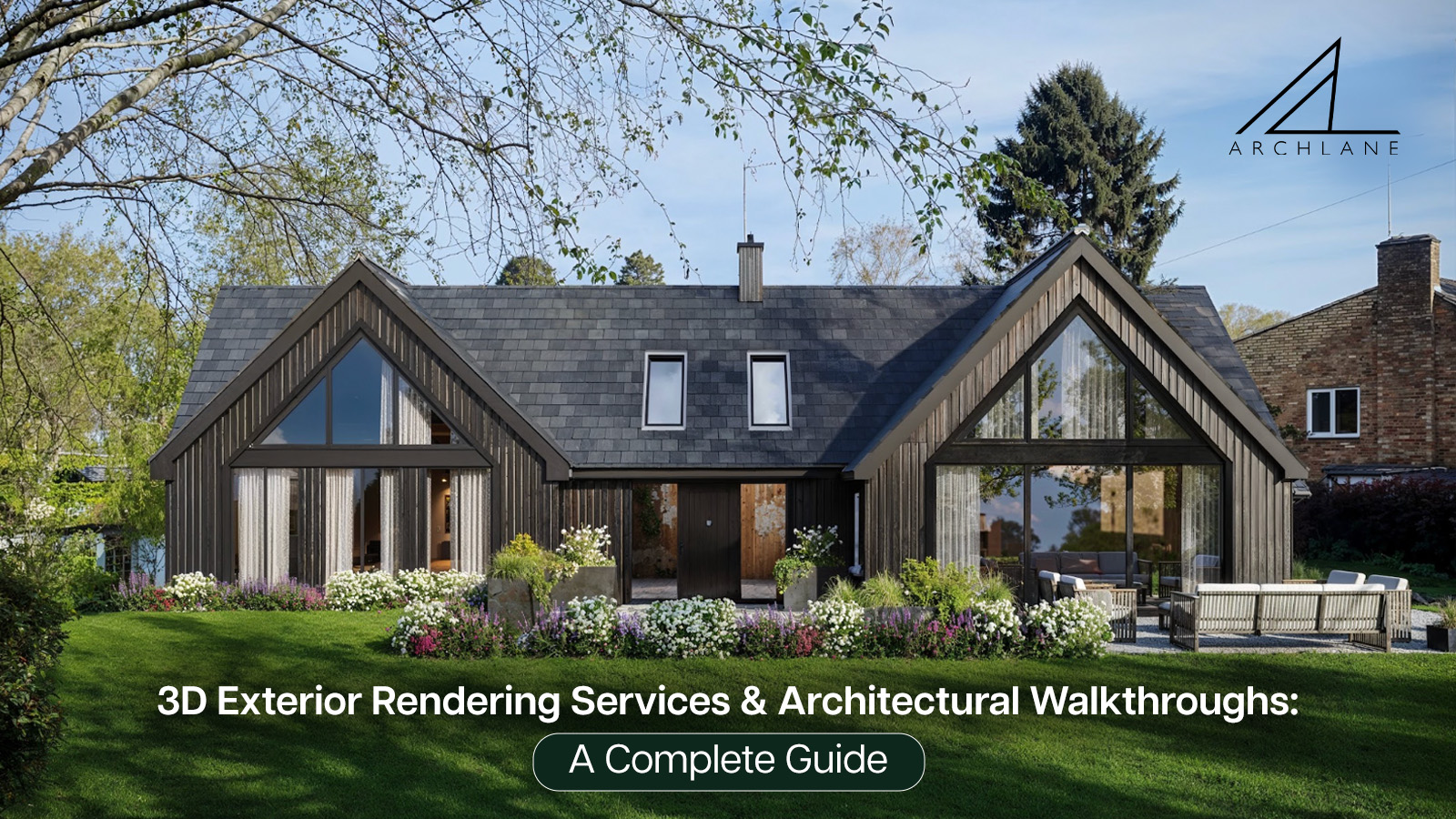
3D exterior rendering services convert architectural drawings, elevations, and 3D models into realistic images of a building's exterior. These visualizations can represent the façade, windows, balconies, building materials, landscaping, outdoor areas, and surrounding environment.
Instead of relying only on technical drawings, stakeholders can see how the proposed structure may look from different viewpoints.
Depending on the project requirements, exterior rendering may include:
- Building façade visualization: Present the architectural style, proportions, materials, and exterior finishes.
- Landscape visualization: Show gardens, pathways, outdoor spaces, and planting around the building.
- Daylight and twilight views: Communicate how lighting conditions influence the building's visual appearance.
- Aerial and contextual views: Illustrate the building's relationship with its site and surroundings.
- Residential and commercial exterior renders: Present homes, villas, apartment buildings, offices, and other architectural projects.
For architects and developers, these visuals provide a practical way to communicate design intent before the project is built.
What Are 3D Architectural Walkthrough Services?
3D architectural walkthrough services create animated visual journeys through or around a proposed building. Rather than viewing a single static image, the audience follows a planned camera path that reveals the project's spaces, architectural details, and overall design.
A walkthrough can focus on interiors, exteriors, or a combination of both, depending on the project's objectives.
Common applications include:
- Residential apartments and luxury villas
- Commercial buildings and office spaces
- Hospitality projects and resorts
- Large-scale developments and architectural masterplans
- Property presentations and pre-construction marketing
A walkthrough can help viewers understand how different spaces connect, how a building may appear from ground level, and how the exterior relates to the surrounding environment.
The Archlane lists both exterior rendering and walkthrough among its architectural visualization services, making these relevant options to explore for projects that need a more engaging visual presentation.
3D Exterior Rendering vs. 3D Architectural Walkthroughs: What Is the Difference?
Although both services communicate architectural design, they serve different presentation needs.
| Feature | 3D Exterior Rendering | 3D Architectural Walkthrough |
| Main output | Static rendered images | Animated video |
| Viewing experience | One selected viewpoint per image | A sequence of connected views |
| Best suited for | Façade presentation, brochures, websites, and design reviews | Project presentations, visual storytelling, and property marketing |
| Design details | Focuses on specific views and finishes | Reveals spaces and details over time |
| Typical use | Presenting a building's appearance | Demonstrating the experience of moving through or around a project |
Which service should you choose?
Choose 3D exterior rendering services when you need high-quality still images to communicate a building's design, façade, materials, and surroundings.
Choose 3D architectural walkthrough services when you want to present the project as a continuous visual journey, helping viewers understand the layout, spatial relationships, and overall experience.
Some projects benefit from both. Exterior renders can provide strong visual assets for brochures and websites, while walkthrough animations can support presentations and video-based marketing.
Why Do Architects and Developers Need 3D Exterior Rendering Services?
1. Communicate architectural concepts clearly
Technical drawings communicate dimensions and construction information, but they may not convey the complete visual character of a design to every audience. A detailed exterior render makes the proposed appearance easier to understand.
2. Present materials and finishes
Visualizations can illustrate the intended appearance of stone, glass, metal, wood, concrete, and other exterior materials. They allow the design team to communicate the relationship between finishes, colours, lighting, and architectural forms.
3. Support design discussions
When clients can see a visual representation of the proposed building, discussions about design choices can become more focused. Renders can help stakeholders review the overall appearance and identify areas that require further consideration.
4. Create property marketing materials
Real estate developers can use suitable architectural visuals in project presentations, digital campaigns, websites, brochures, and other marketing materials, subject to the project's requirements and applicable disclosure rules.
5. Present unbuilt projects
A building does not need to be completed for its proposed design to be visualized. This makes 3D exterior rendering useful during the planning and presentation stages, when stakeholders need to understand the intended outcome.
How 3D Architectural Walkthrough Services Support Project Presentations
A well-planned walkthrough does more than move a camera through a digital model. It establishes a visual sequence that helps the audience understand the project's most important features.
Here are several ways walkthroughs can improve project communication:
- Show the exterior approach: Begin with a wider view of the building or site before moving closer to important architectural features.
- Demonstrate spatial connections: Use carefully planned camera movements to show how rooms, entrances, circulation areas, or outdoor spaces relate to one another.
- Highlight design details: Focus on selected materials, façade elements, lighting, or amenities.
- Build a coherent presentation: Arrange views in a logical sequence instead of showing disconnected images.
- Adapt visuals to the audience: Create a presentation that addresses the needs of clients, developers, investors, or potential property buyers.
The appropriate walkthrough format depends on the building type, level of detail, project stage, and intended audience.
What Is the Process for Creating Architectural Renders and Walkthroughs?
Although each studio may follow a different workflow, a typical architectural visualization project involves several stages.
Step 1: Share the project brief
The process begins with the project's objectives, architectural drawings, reference images, design information, and required deliverables. Clear requirements help establish the intended scope.
Step 2: Develop the visual model
The architectural information is used to create or refine a digital representation of the proposed building. The model establishes the main geometry, proportions, and spatial relationships.
Step 3: Define materials, lighting, and surroundings
Materials, colours, environmental elements, landscaping, and lighting are incorporated according to the design brief and available references.
Step 4: Establish views or camera paths
For exterior rendering, the selected viewpoints determine which architectural features are emphasized. For a walkthrough, the camera path establishes the order in which spaces and features are revealed.
Step 5: Review and refine
Draft visuals can be reviewed against the brief. Feedback may address viewpoints, materials, lighting, landscaping, or other agreed design elements.
Step 6: Deliver the final visuals
The completed images or animation are prepared in the agreed formats and resolutions for the intended presentation or marketing use.
The final timeline and scope depend on factors such as project complexity, detail requirements, animation duration, source-file quality, and revisions.
How to Choose the Right 3D Rendering and Walkthrough Partner
Selecting a visualization partner involves more than comparing images. Architects and developers should consider whether the provider understands the project objectives and can communicate the design accurately.
Before appointing a studio, consider the following:
- Review the portfolio: Look for projects that demonstrate a visual style and level of detail suitable for your building type.
- Check architectural understanding: The provider should be able to interpret drawings, design references, materials, and spatial requirements.
- Define deliverables: Confirm the number of rendered views, animation duration, resolution, formats, and intended usage.
- Discuss revisions: Understand how draft reviews, feedback, and additional changes will be managed.
- Clarify the timeline: Establish milestones for modelling, draft presentation, revisions, and final delivery.
- Request a clear quotation: Make sure the scope, deliverables, and any additional costs are explained before work begins.
The Archlane's architectural visualization approach focuses on turning architectural ideas into visual experiences. Explore its portfolio and services to assess whether its style and capabilities suit your project.
Why Consider The Archlane for Architectural Visualization?
At The Archlane, architecture is treated as something to be experienced, not simply viewed on a drawing. The studio brings together artists, designers, and storytellers to create visual interpretations of architectural ideas, with attention to design, materials, and light.
Its listed services include exterior rendering, walkthroughs, virtual reality and tours, interior rendering, and flythroughs.
For architects, designers, and property developers looking to communicate a project before it is built, choosing the right combination of visual assets can help make design presentations more understandable and engaging.
To discuss your requirements, visit The Archlane or contact the studio at info@thearchlane.com.
Frequently Asked Questions
1. What are 3D exterior rendering services?
3D exterior rendering services transform architectural drawings or digital models into rendered images of a building's exterior. These images can show façades, materials, lighting, landscaping, and the surrounding site before construction.
2. What are 3D architectural walkthrough services?
3D architectural walkthrough services produce animated visual journeys through or around a proposed building. They help viewers understand spatial layouts, architectural details, and the overall design from a sequence of viewpoints.
3. What is the difference between exterior rendering and an architectural walkthrough?
Exterior rendering produces static images from selected viewpoints, whereas an architectural walkthrough uses animation to show the project through a continuous sequence of camera movements. The right choice depends on how the design needs to be presented.
4. Who can benefit from 3D exterior rendering services?
Architects, real estate developers, builders, interior designers, and property marketing teams can use exterior renders to present proposed buildings, communicate design decisions, and prepare visual presentation materials.
5. Can 3D architectural walkthroughs be created before construction?
Yes. Walkthroughs can be developed from suitable architectural drawings, digital models, and design information before a building is constructed. The accuracy of the final visualization depends on the quality and completeness of the supplied information.
6. How much do 3D exterior rendering and walkthrough services cost?
The cost depends on project size, architectural complexity, level of detail, number of views, animation duration, delivery requirements, and revision scope. A project-specific quotation is the best way to establish an accurate budget.
7. What information is needed to start a 3D architectural visualization project?
Useful starting materials include architectural plans, elevations, sections, 3D models if available, material references, site information, reference images, and a clear description of the required deliverables.
8. How can I enquire about architectural visualization services from The Archlane?
Visit thearchlane.com and use the contact section to discuss your project requirements with the studio.
Conclusion
3D exterior rendering services and 3D architectural walkthrough services help bridge the gap between architectural drawings and visual understanding. Static renders are useful for presenting selected views and design details, while walkthroughs offer a more continuous way to experience a proposed building.
The most effective choice depends on your project's objectives, audience, and presentation requirements. If you are preparing to present an architectural concept, develop property marketing materials, or communicate a proposed design, explore The Archlane to discuss a visualization approach suited to your project.